App-Based Wireless Remote Control Car
1. Learning Objectives
Students will be able to:
- Understand the concept of wireless remote control
- Use an AI Vision Sensor as a control interface
- Map sensor values to robot movement
- Experience real-time control from a mobile app
- Learn that AI devices can serve as interactive controllers
2. Preparation
Hardware
- LEGO SPIKE Hub (Prime / Essential)
- AI Vision Sensor ×1 (connected to Port A)
- Motors ×2 (left & right wheels)
Software
- LEGO SPIKE App
- AI Vision Sensor robot code App
3. Teaching Process
(1) Introduction
- Discussion:
- How do we usually control remote cars?
- Can a phone replace a traditional controller?
- Lesson goal: Control a LEGO car wirelessly using an AI sensor and mobile app
(2) Building
- Build a basic LEGO car following official instructions
- Connections:
- Port A → AI Vision Sensor
- Motors connected as recommended
- Check wheel alignment and stability
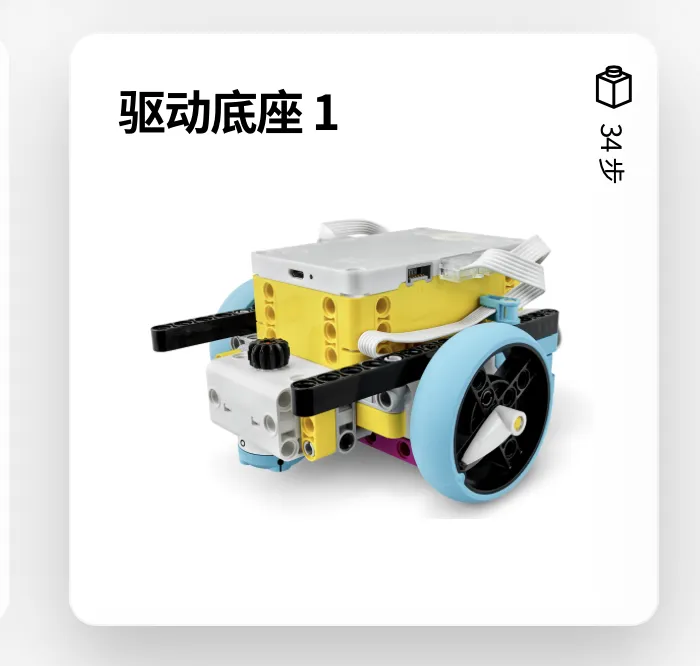 OR
OR 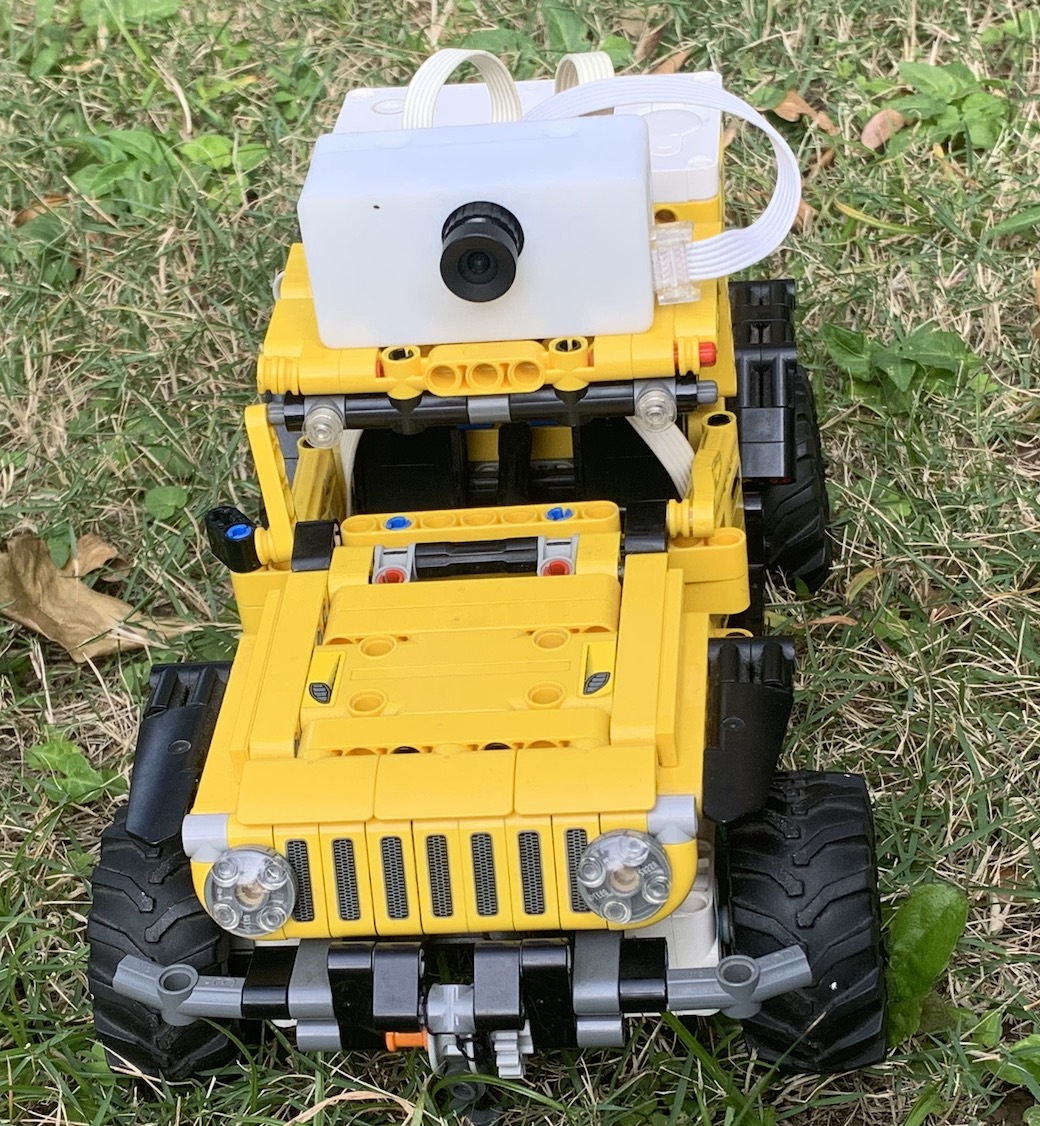
(3) Programming
Sensor Value Explanation
- The AI Vision Sensor outputs values from 1 to 40
- Each value represents a different control command
- Refer to the official manual for exact definitions
Example mapping (for teaching reference):
| Value Range | Example Action |
|---|---|
| 9 | Move forward |
| 27 | Move backward |
| 9–18 | Turn left |
| 0–9 | Turn right |
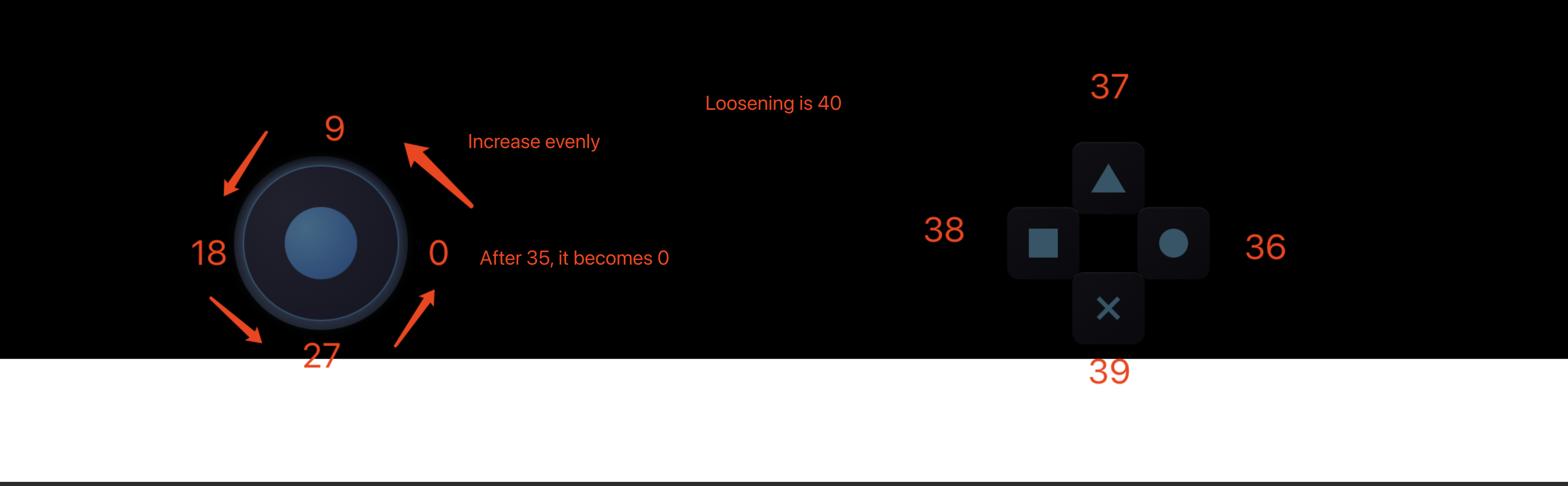
Programming Logic
Forever loop: Read sensor value Determine action based on value range Control left and right motors
spike code: 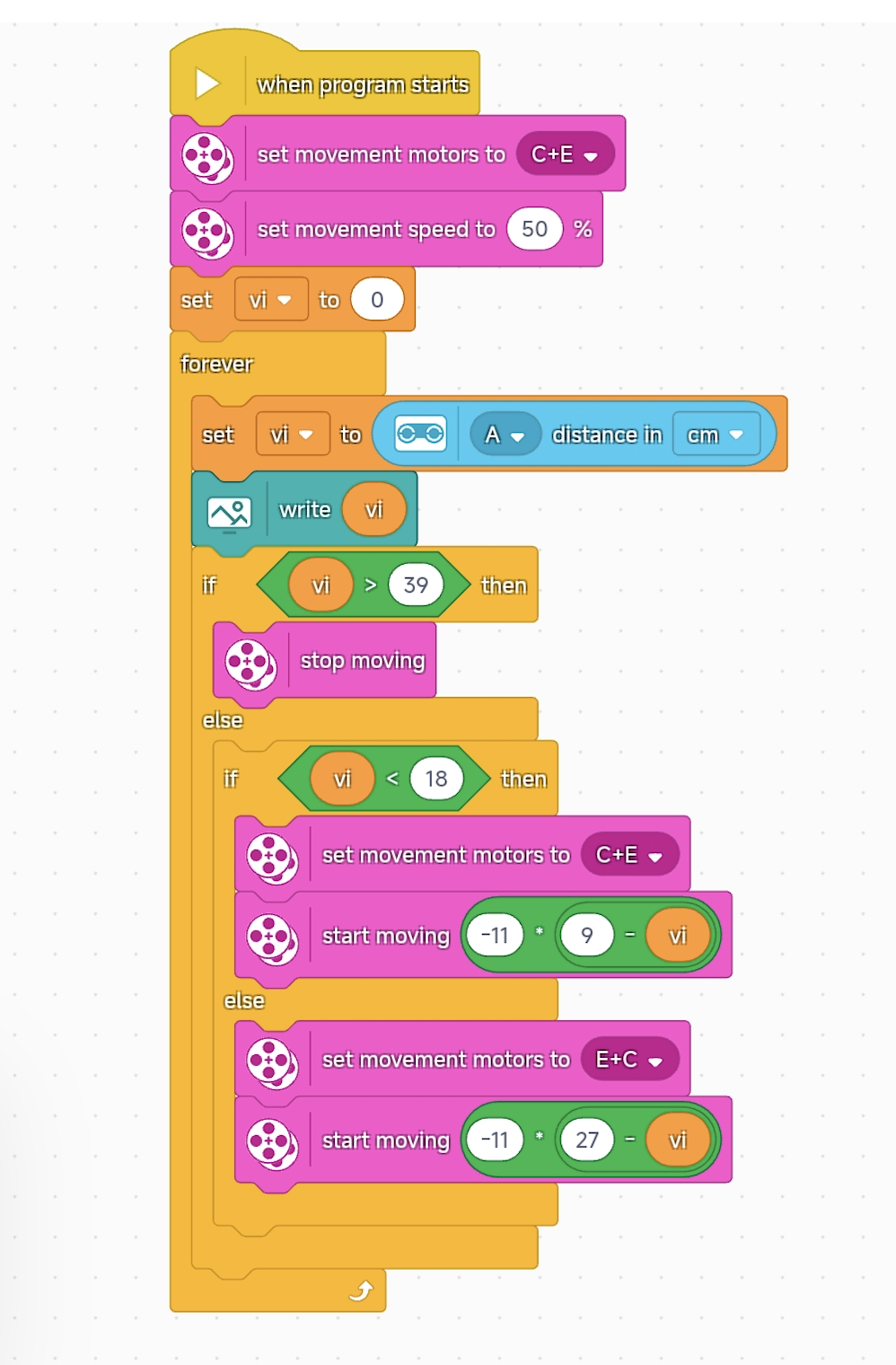 ai vision code:
4. Demonstration & Testing
- Use the mobile app to control the car
- Verify:
- Responsiveness
- Control accuracy
- Stability during movement
5. Extension Ideas
- Add live video for first-person driving
- Implement speed limits for safety
- Combine manual control with obstacle avoidance
- Design multiple driving modes
6. Lesson Summary
- This lesson demonstrates wireless control + robotics
- Students experience real-time human–robot interaction
- Key takeaway: AI connects humans and machines through smart interfaces