Gesture-Controlled Smart Trash Bin
1. Learning Objectives
Students will be able to:
- Understand the basics of gesture recognition
- Use an AI Vision Sensor with LEGO SPIKE
- Convert sensor data into logic-based motor control
- Apply AI concepts to a real-world smart device
- Improve hands-on building and presentation skills
2. Preparation
Hardware
- LEGO SPIKE Hub (Prime / Essential)
- AI Vision Sensor ×1 (connected to Port A)
- Motor ×1 (connected to Port B)
- LEGO building parts (trash bin structure)
Software
- LEGO SPIKE App
- AI Vision Sensor (robot-code app)
- Update detect model: ModelTrain->Model market select rock-papper-scissors upgrade.
3. Teaching Process
(1) Introduction
- Discussion:
- Where do we see automatic trash bins?
- Can we control one without touching it?
- Lesson goal: Use AI to recognize hand gestures and control a trash bin
(2) Building
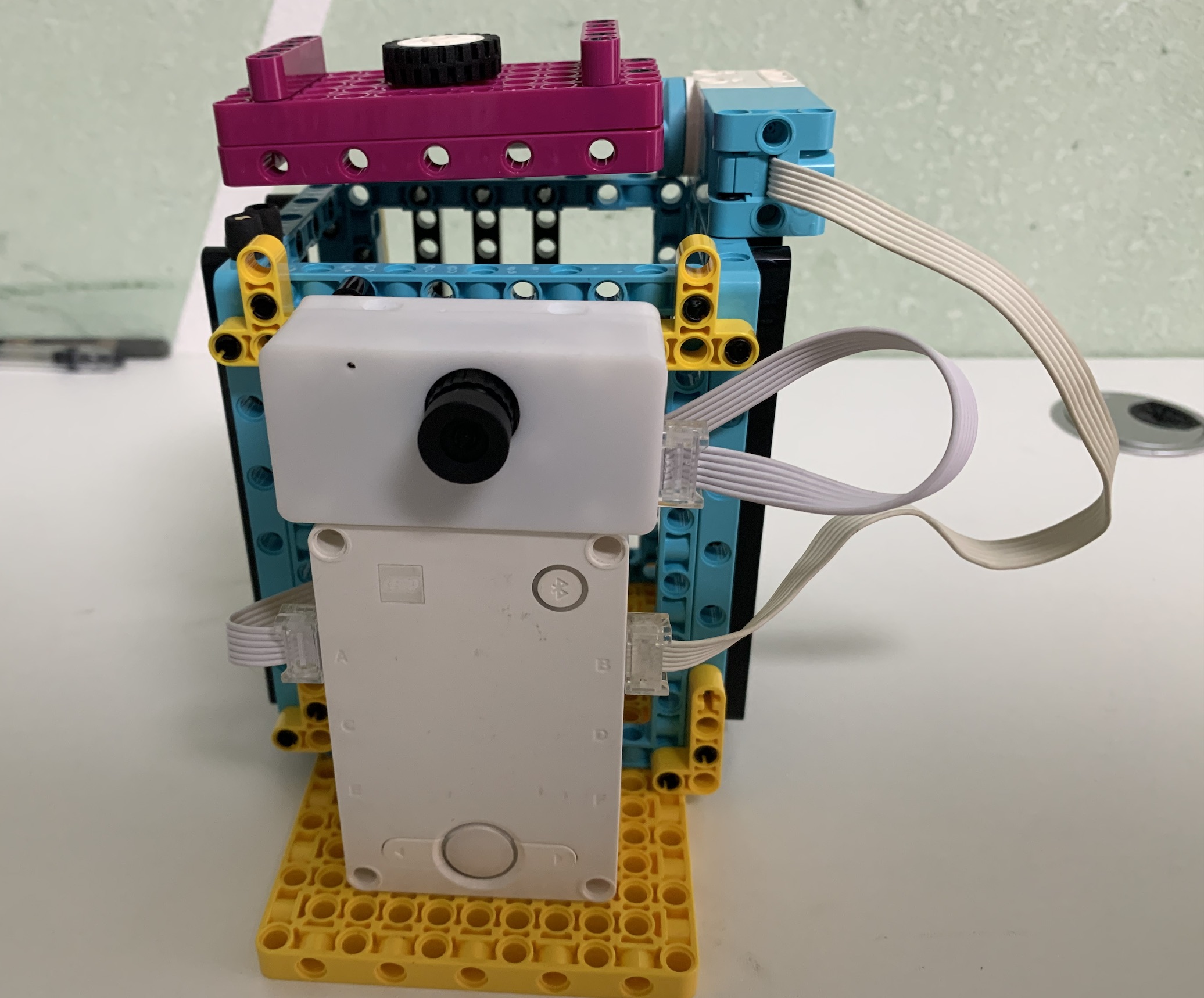
- Build a trash bin with:
- A movable lid
- Motor-driven open/close mechanism
- Connections:
- Port A → AI Vision Sensor
- Port B → Motor
(3) Programming
Ai Vision Recognition Output
| Value | Meaning |
|---|---|
| 2 | Open the lid |
| 1 | Close the lid |
| 0 | Do nothing |
Programming Logic
Forever loop: Read sensor value If value = 2 → Open lid If value = 1 → Close lid Else → Do nothing
SPIKE CODE: 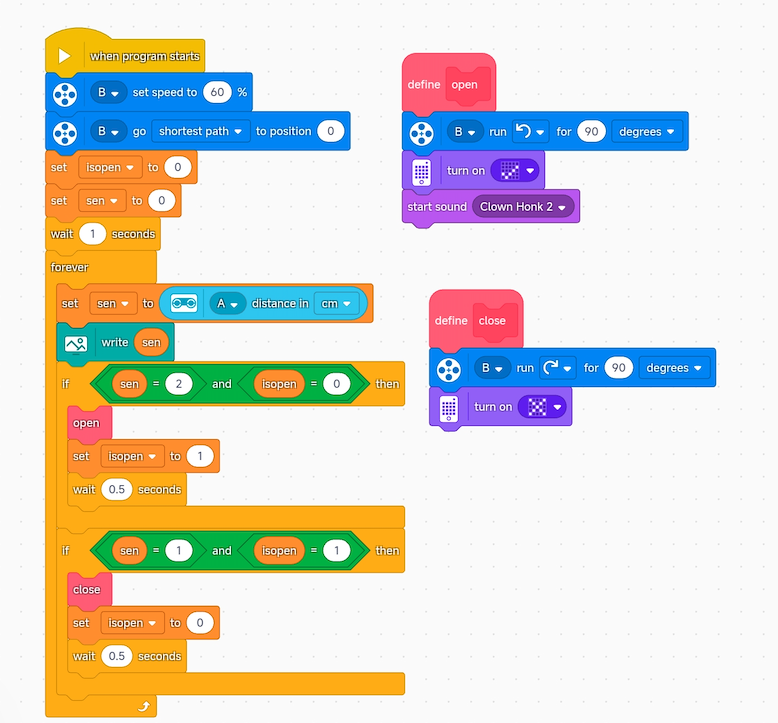
AI VISON CODE: note: must upgrade detect model 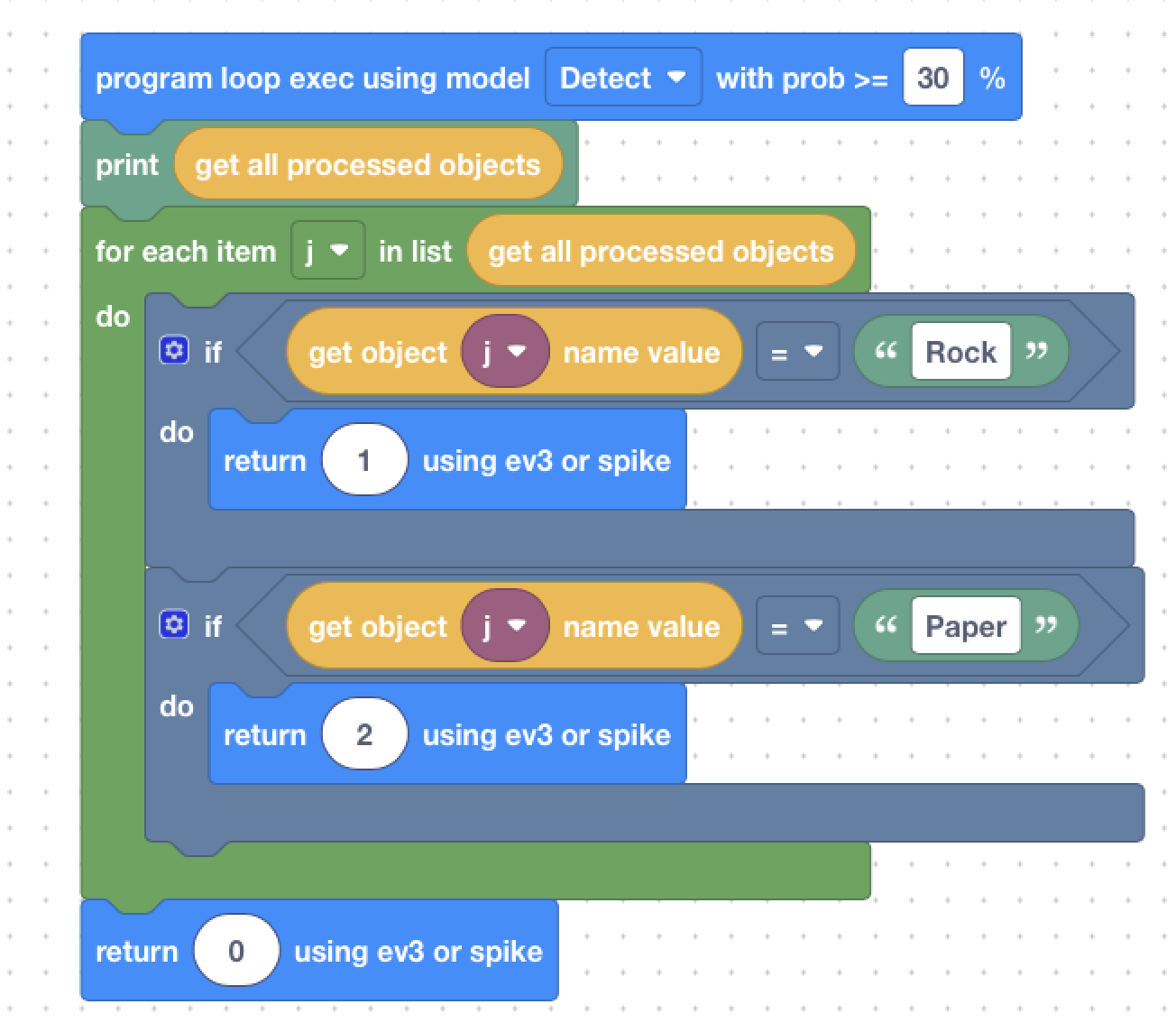
4. Demonstration & Testing
- Students test the system using hand gestures
- Verify:
- Recognition accuracy
- Correct motor direction
- Stability of behavior
5. Extension Ideas
- Add an automatic close timer
- Combine gesture control with buttons or voice
- Count how many times the bin opens
- Discuss other gesture-controlled smart devices
6. Lesson Summary
- This lesson connects AI perception with physical action
- Students built a complete AI-driven system
- Key takeaway: AI doesn’t just see — it understands and acts