Garbage Sorting Robot Lesson Plan (Plastic & Paper)
1. Learning Objectives
- Understand the basic concept of waste sorting, with a focus on Plastic and Paper / Cardboard.
- Learn how AI vision recognition is applied in real-life scenarios.
- Learn to use SPIKE Prime + AI Vision Sensor for object recognition.
- Master motor position calibration and basic robotic arm control.
- Build a complete system thinking process:
Recognition → Logical Decision → Mechanical Action.
2. Teaching Preparation
1. Hardware Preparation
- LEGO SPIKE Prime Hub
- AI Vision Sensor (SPIKE Port F)
- Large Motors × 2
- Robotic arm motor: Port D
- Rotation position motor: Port B
- Simple robotic arm structure (grabbing and lifting)
- Waste sorting bins × 2 (Plastic / Paper)
- Sorting samples × 4
- Plastic samples × 2
- Paper samples × 2
⚠️ Motor position calibration for Port B and Port D is required before use
2. Software Preparation
- LEGO SPIKE App
- Robot Code App
3. Teaching Process
1. Introduction (10 minutes)
- Discussion questions:
- Why do we need to sort garbage?
- What are the visual differences between plastic and paper?
- Guide students to think:
- What “abilities” does a robot need to help us sort garbage?
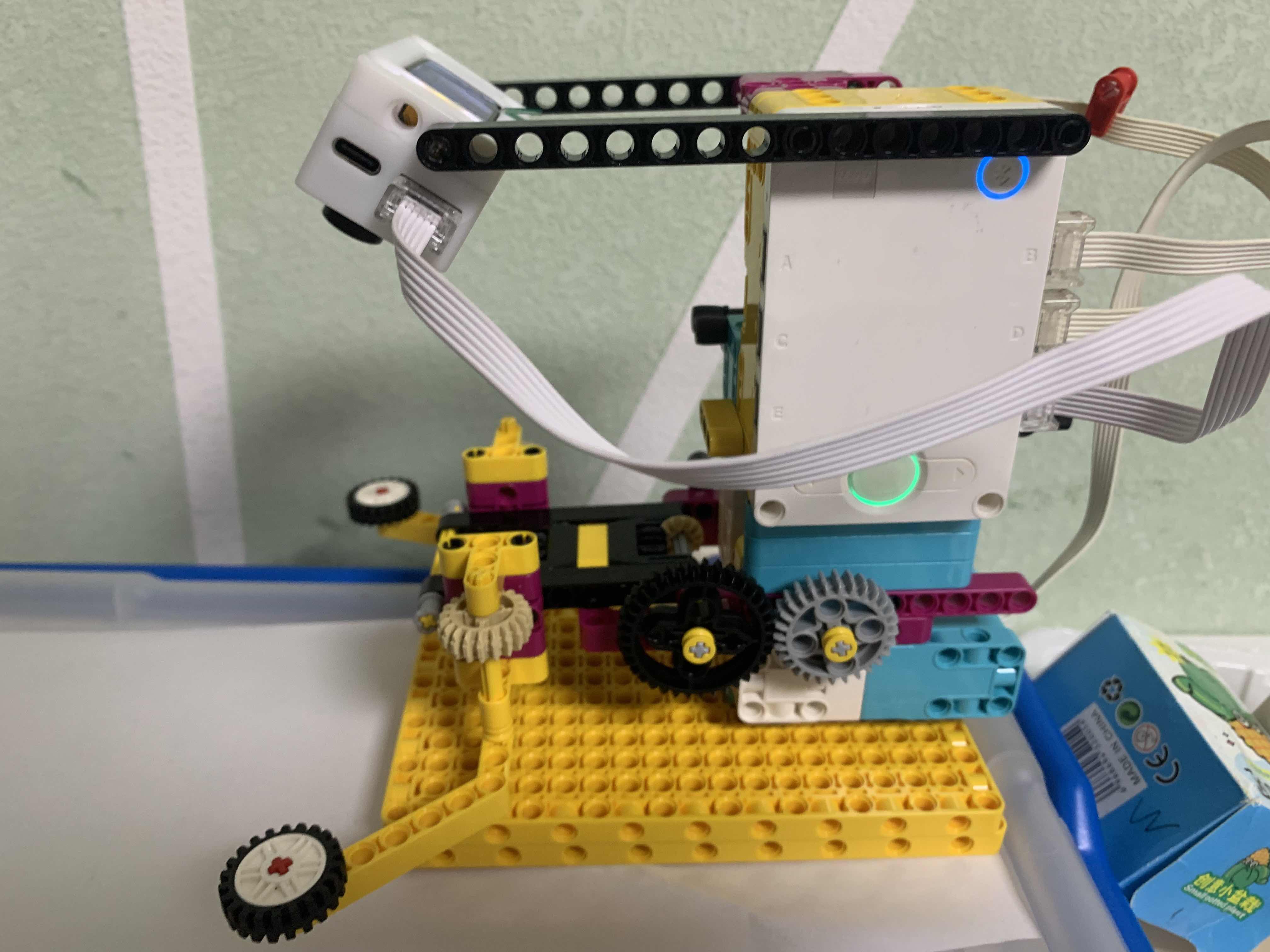
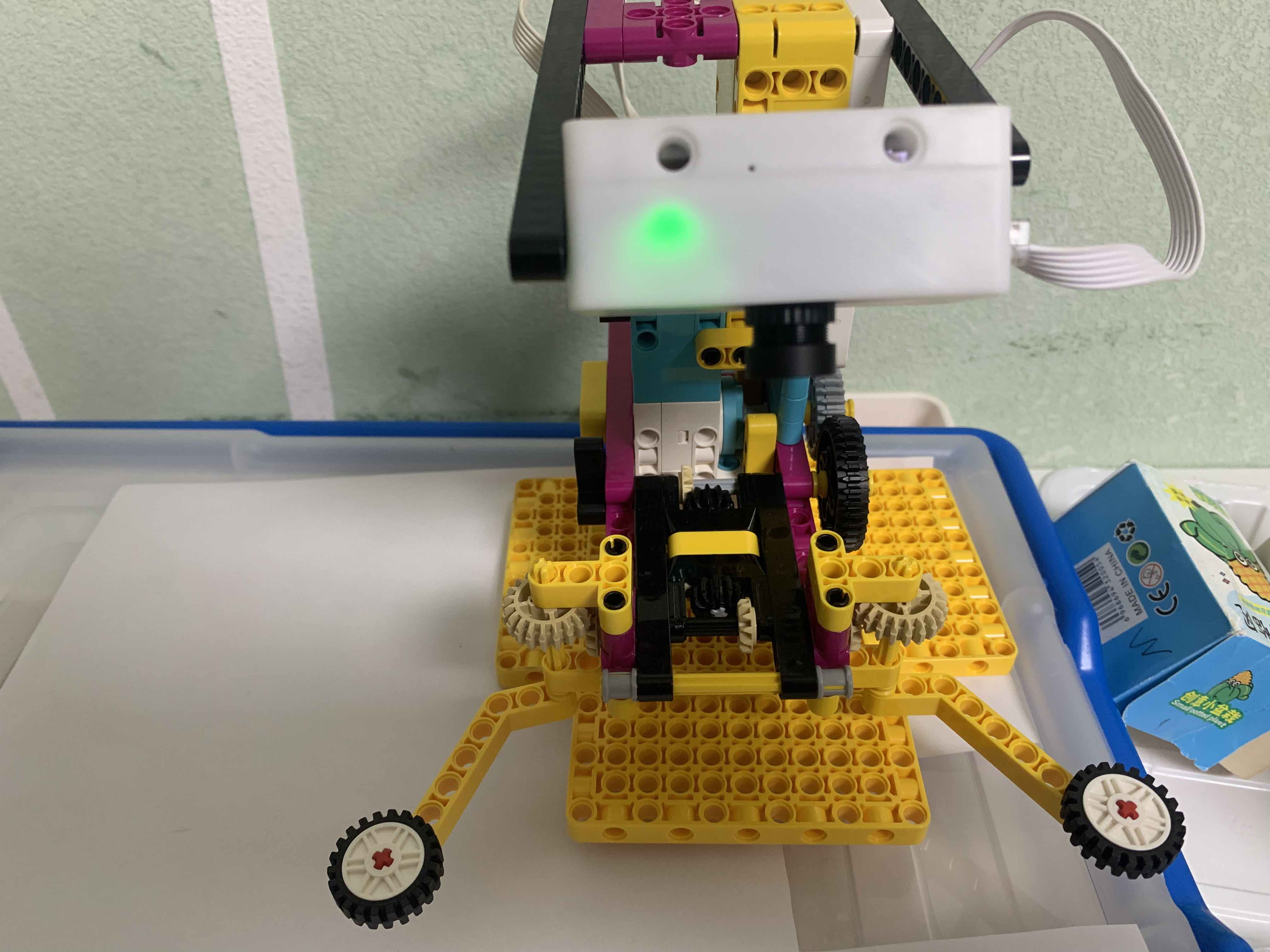
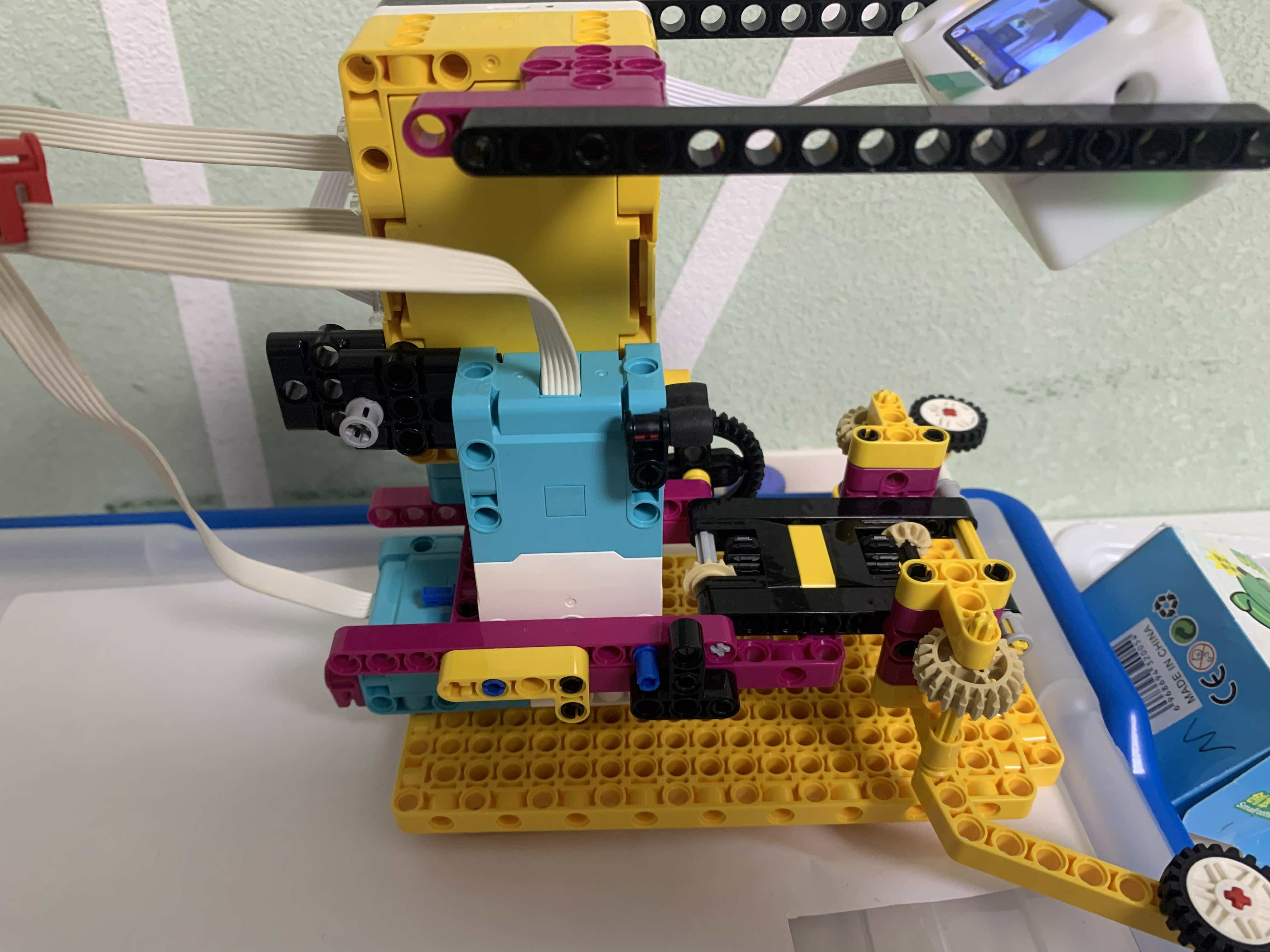
2. Robot Construction (15 minutes)
- Build a base that can rotate left and right (Port B)
- Build a robotic arm that can grab and move objects (Port D)
- Mount the AI Vision Sensor at the front, ensuring a clear and unobstructed view
- Connect the ports:
- Vision Sensor → Port F
- Robotic Arm Motor → Port D
- Rotation Motor → Port B
3. Programming Session (25 minutes)
(1) Motor Position Calibration
- After starting the program:
- Rotate the position motor (Port B) to the neutral position (90°)
(Other angles can also be used, but the program must be updated accordingly) - Move the robotic arm motor (Port D) back to the initial position (350°)
(Other angles can also be used, but the program must be updated accordingly)
- Rotate the position motor (Port B) to the neutral position (90°)
- Set this position as the reference (home) position
(2) Vision Recognition Logic
- Read the recognition result from the AI Vision Sensor
- Determine the detected category:
- If plas, return
1 - If paper, return
2 - Otherwise, return
0
- If plas, return
(3) Sorting Action Design
- If the object is Plastic:
- Execute
catch(grabbing action) - Execute
plas(rotation for plastic bin) - Execute
release(release action)
- Execute
- If the object is Paper:
- Execute
catch(grabbing action) - Execute
paper(rotation for paper bin) - Execute
release(release action)
- Execute
- After the action:
- Return all motors to the initial position and wait for the next detection
SPIKE code example: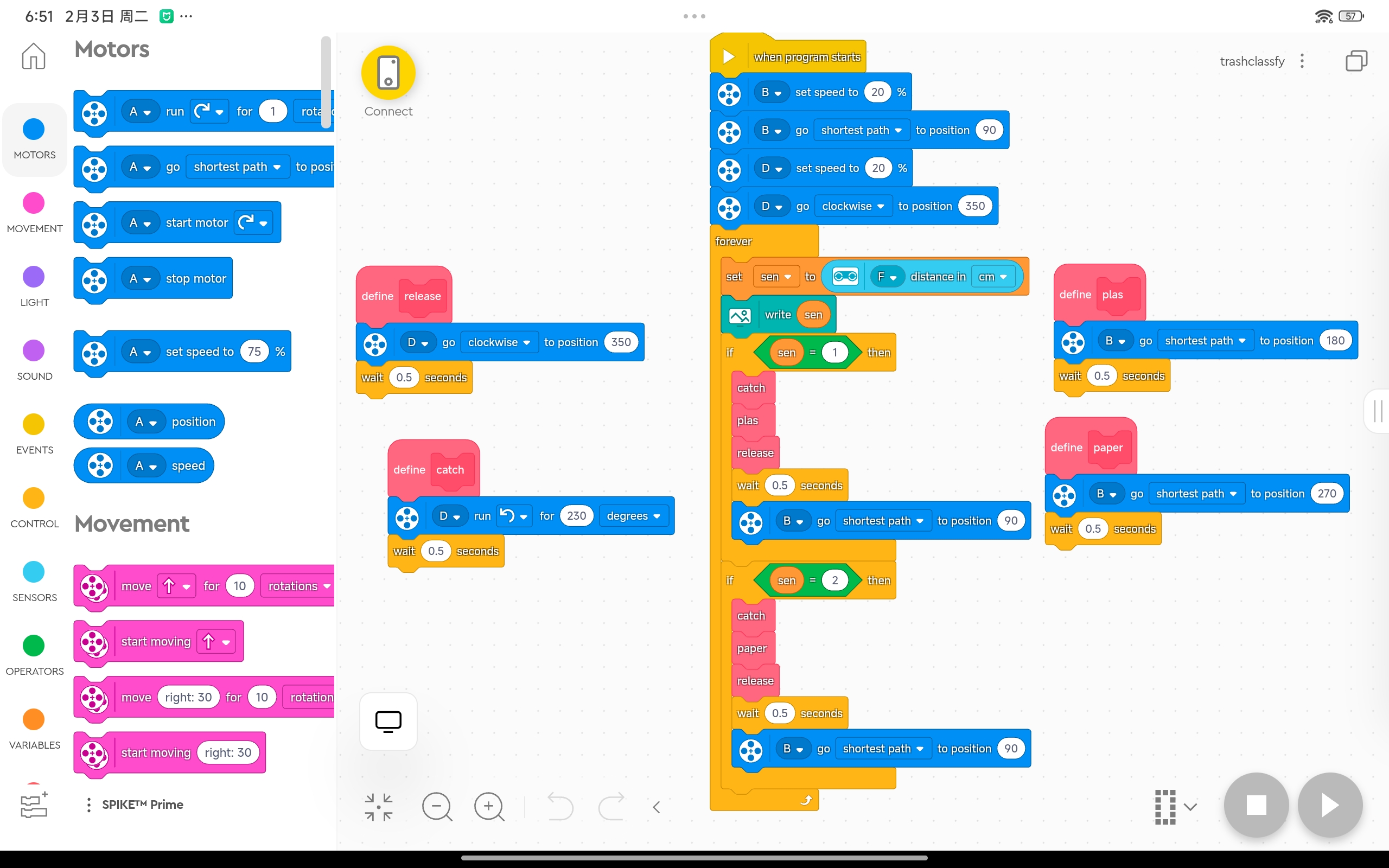
Robot Code example:
Before programming, please take photos of all 4 classification objects and complete the model setup.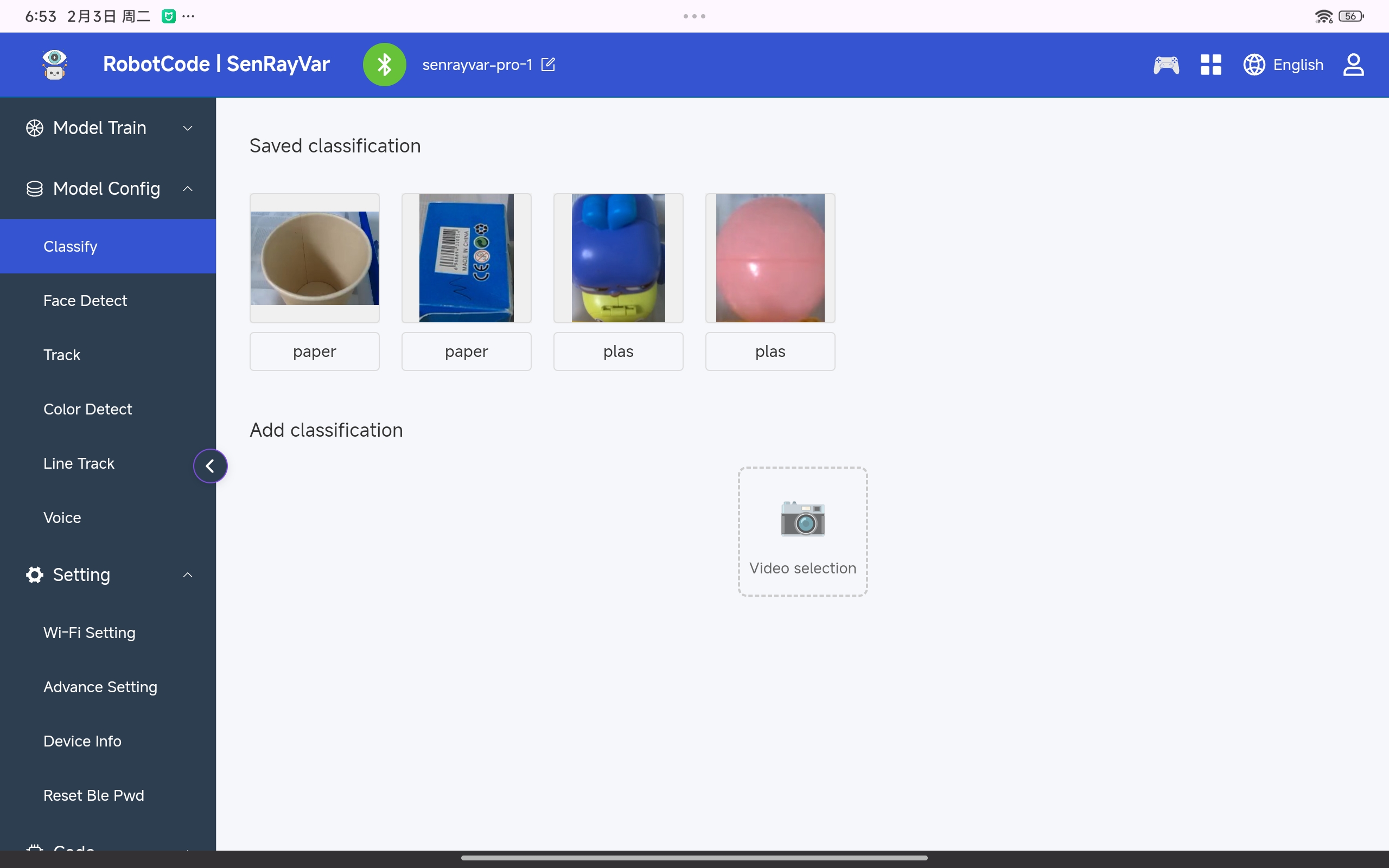
Additionally, the recognition area is set to a square region.
After configuration, a square frame will appear in the center of the video stream.
Only objects inside this area will be recognized. 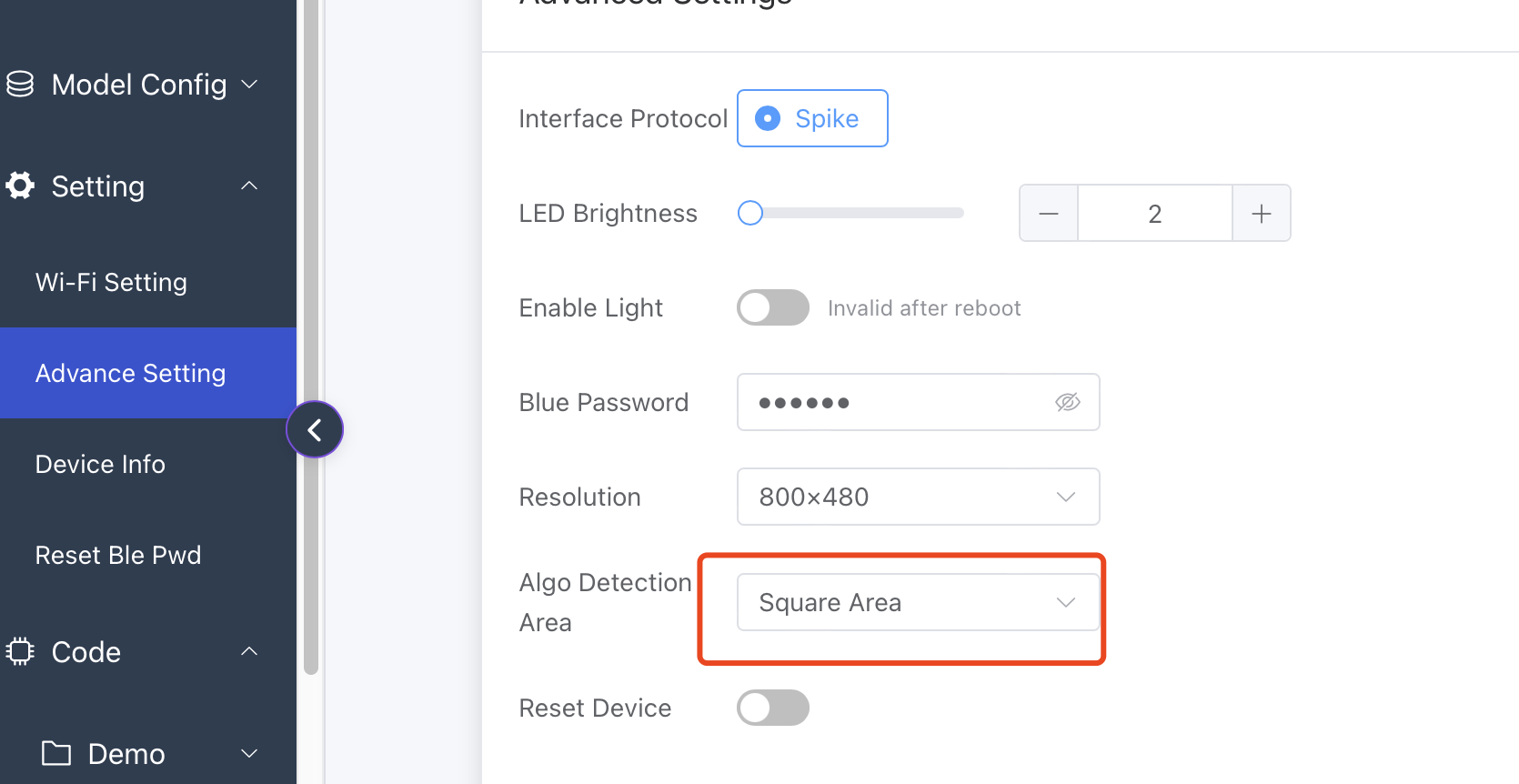 If you need other recognition region options, feel free to send us suggestions via email.
Code example: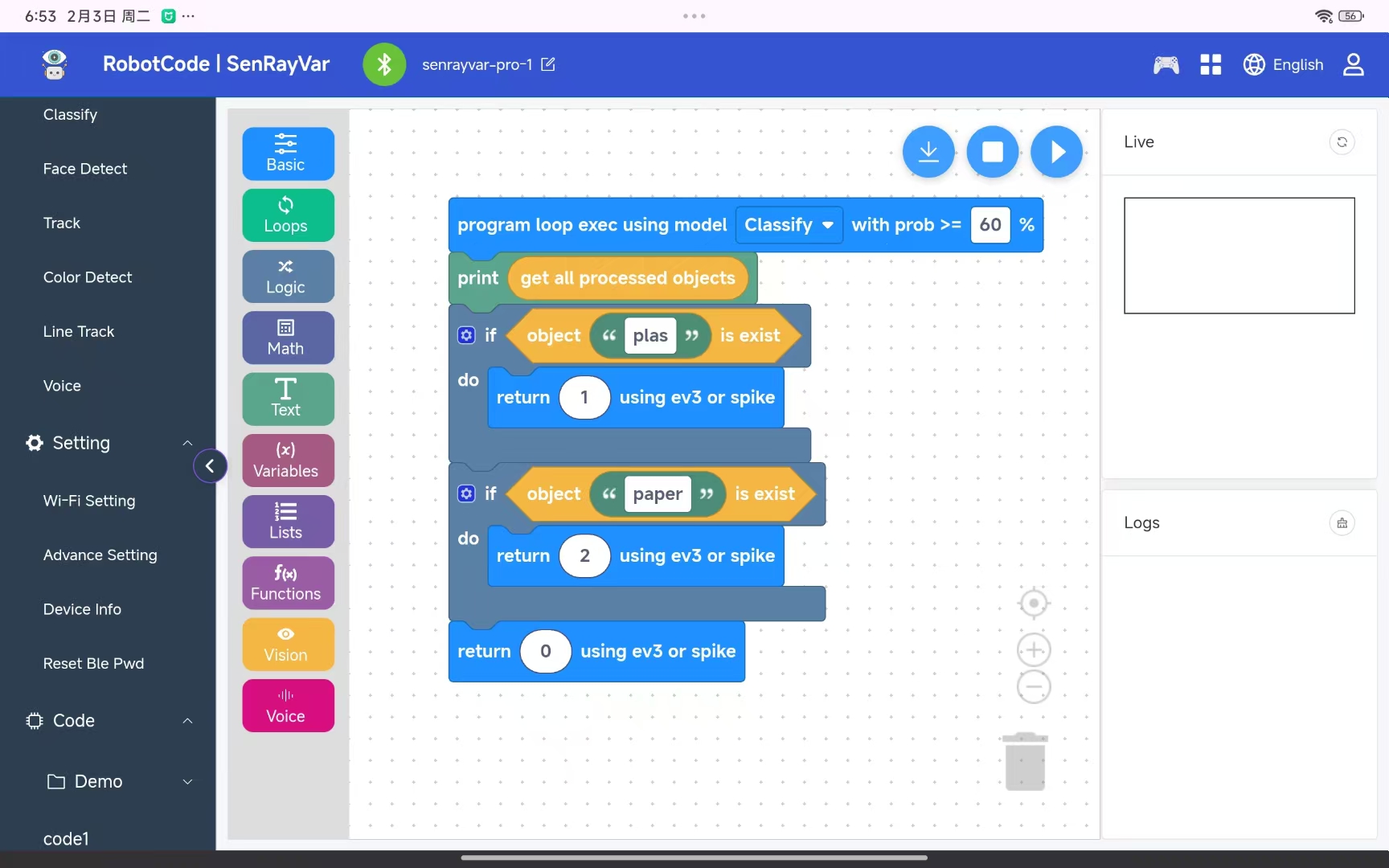
Adjust the confidence threshold according to actual conditions.
4. Demonstration and Testing
- Place the 4 test objects one by one
- Observe whether the recognition results are correct
- Check:
- Whether the robotic arm movements are accurate
- Whether the garbage is placed into the correct bin
- Discussion:
- Which objects are more likely to be misclassified? Why?
5. Extended Thinking
- If metal or food waste is added, how should the program be modified?
- Can a counting function be added to record how much garbage is sorted in a day?
- Can failure alerts, lights, or sound feedback be added?
- If used in competitions (such as WRO), how can system stability be improved?
6. Teaching Summary
- AI does more than just “see” — it needs rules and actions to work effectively
- Garbage sorting is a real-world problem that robots can actively help solve
- A complete robot system = Sensor + Logic + Actuator
- Motor calibration is a key step for stable and reliable operation