🚀 Space Base AI Safe
Face Recognition & Security Logic Lesson
I. Learning Objectives
Students will:
Real-world Security Understanding
Understand how Face Recognition is used in real-world security systems:- Access control
- Safes
- Laboratories
- Space bases
AI Vision Capability
Learn the face recognition capability of an AI Vision Sensor and understand the concept of identity.System Design Thinking
Learn how to design a system that connects:
AI recognition results → security rules → motor behaviorSecurity Strategy Awareness
Understand security strategies such as:- Failure counting
- Risk escalation
- Two-person authentication
Security & Systems Thinking
Develop system modeling and security thinking:Identity ≠ Authorization
Higher risk → stricter verification
II. Preparation
1. Hardware
Controller
- LEGO SPIKE Prime / EV3 Hub × 1
Motor
- Medium Motor × 1
- Used for rotating the safe dial or opening the door
- Example: Port D
- Medium Motor × 1
AI Vision Sensor
- × 1
- Set to Face Recognition Mode
LEGO Structure
- LEGO bricks to build a safe
- With a door or rotating dial
- Door can be unlocked or opened by the motor
Hub Screen
- Displays authentication status and prompts
2. Software
- LEGO SPIKE / EV3 programming environment
- AI Vision Sensor firmware supporting Face Recognition Mode
3. Teaching Materials
Students can role-play or use prepared images:
- Captain

- Astronaut
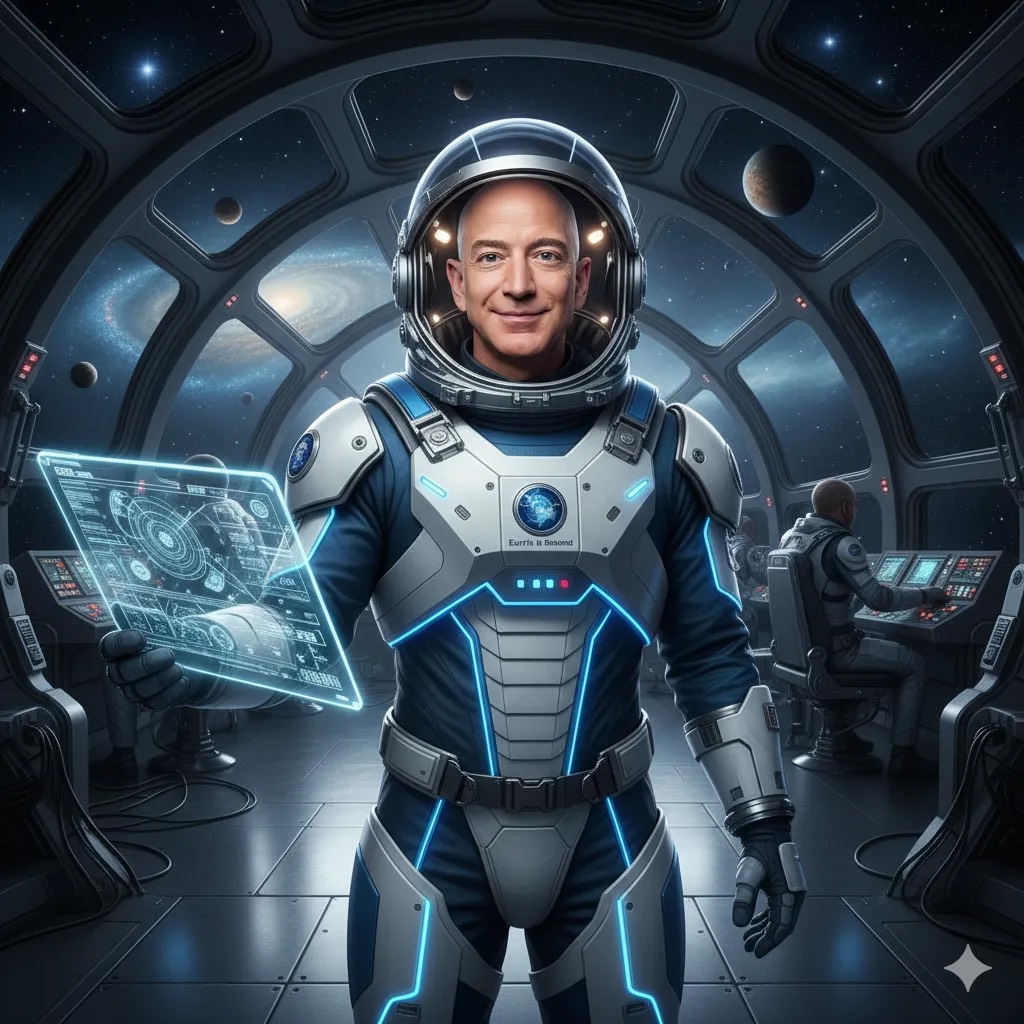
- Visitor

III. Teaching Process
1. Introduction (5 Minutes)
Scenario Setup (Storytelling)
Teacher explains:
This is a space base.
Inside the safe are classified mission files.
- Normally, either the Captain or an Astronaut can open the safe.
- If the system detects multiple failed attempts, it assumes the base is at risk.
- In high-risk situations, two people must authenticate together.
Guiding Questions
- Why shouldn’t anyone be able to open the safe?
- What happens if someone keeps trying?
- How do banks or laboratories handle this in real life?
📌 Key Idea Introduced
Today we will build an AI Safe that upgrades its security level.
2. Building (10–15 Minutes)
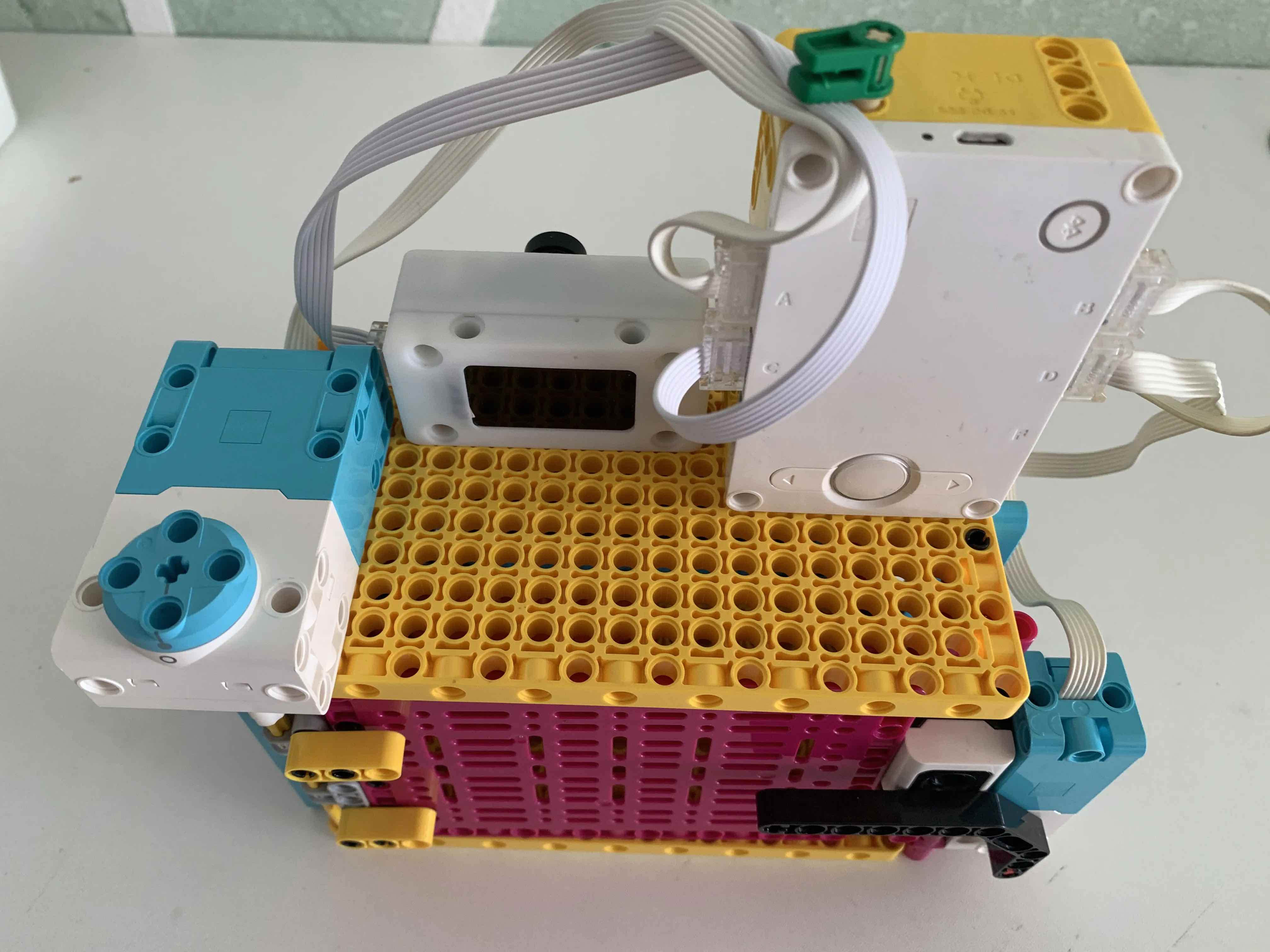
Structure Explanation
- Reference LEGO official safe or rotating lock designs
- One motor is responsible for:
- Rotating a lock dial, or
- Opening / closing the door
Key Emphasis
- The mechanical structure is not the focus
- The key question is:
Who decides when the motor is allowed to move?
3. Programming (25 Minutes)
(1) Core System Rules — Logic First
Basic Rule (Normal Mode)
- Captain → ✅ Open
- Astronaut → ✅ Open
- Visitor → ❌ Denied
Risk Escalation Rule
- Multiple failures → High-Risk Mode
- High-Risk Mode → Two-person authentication required
(2) Face Recognition Logic Design
Example face recognition results from the AI Vision Sensor
(Face Mode):
0→ Not recognized / No face1→ Captain2→ Astronaut3→ Stranger / Visitor
IDs can be adjusted based on your sensor configuration.
(3) Single-Person Access — Stage 1
Program Logic
- If recognized face is Captain OR Astronaut → Motor unlocks the safe
Teaching Points
- Simple
ifcondition - OR logic
- AI result → motor action
(4) Failure Counting & Mode Switching (Key Concept)
Added Variables
fail_count→ number of failed attemptsmode→normal/high_risk
Logic Flow
- Stranger detected →
fail_count + 1 - If
fail_countexceeds threshold → switch tohigh_risk
📌 Key Teaching Message
AI is not just recognizing faces.
The system remembers what happened before.
(5) Two-Person Authentication (Advanced Rule)
Dual Authentication Logic
Authentication Flow
1️⃣ First face detected
- Must be Captain or Astronaut
- Hub displays:
“First authentication successful. Please verify second person.”
2️⃣ Second face detected
- Must be different from the first
- Both must be authorized users
➡️ Only then does the motor unlock the safe
Hub Screen Messages (Examples)
- “High-Risk Mode”
- “Verified: 1 / 2”
- “Dual authentication successful. Unlocking…”
Code Examples
- SPIKE code example
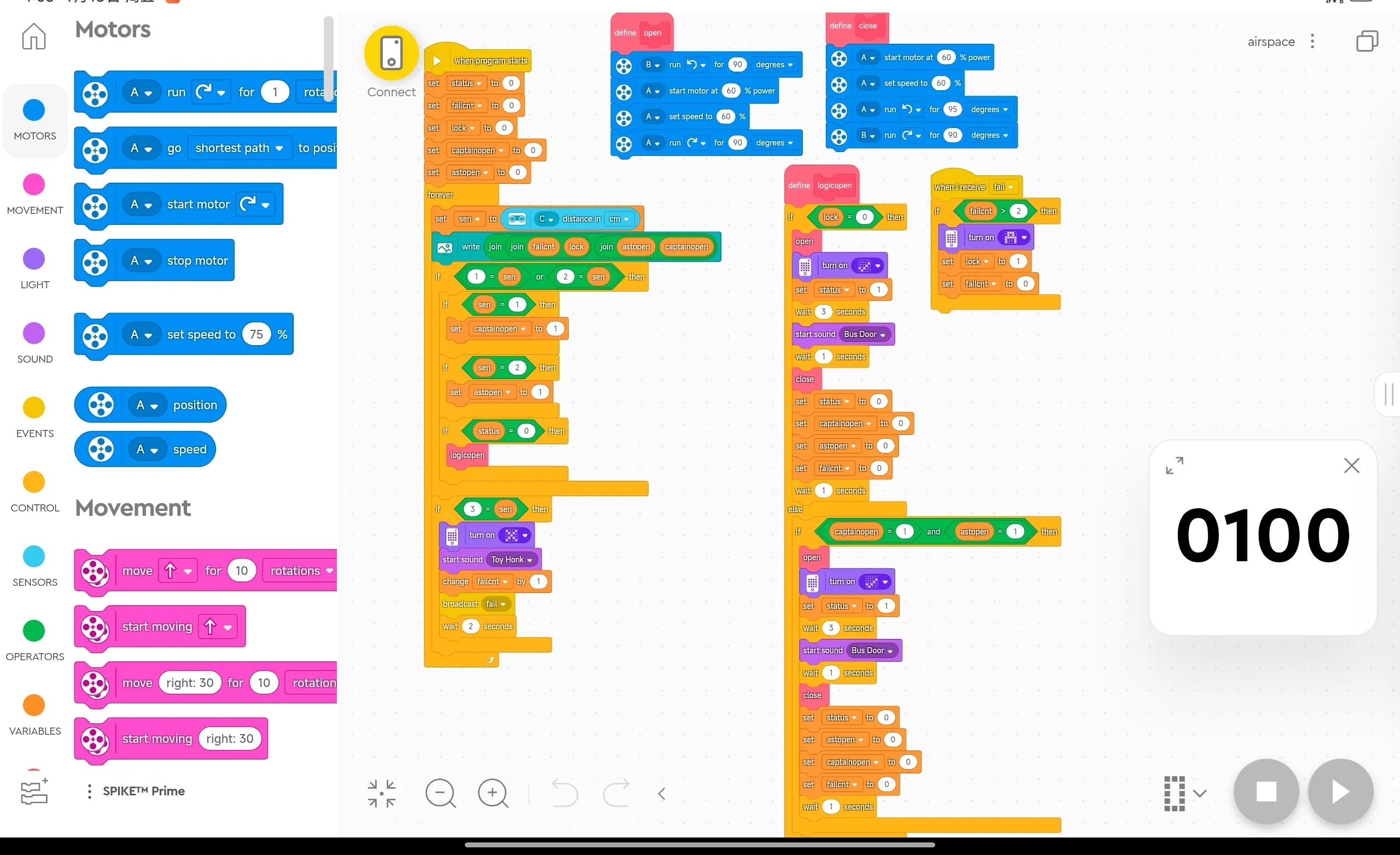
- RobotCode example
First, you need to set up a face template.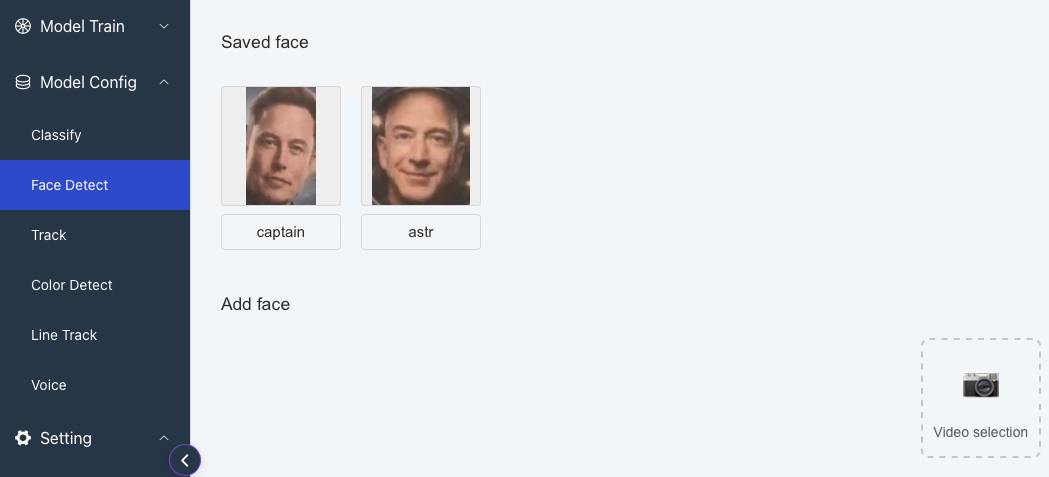 Then, code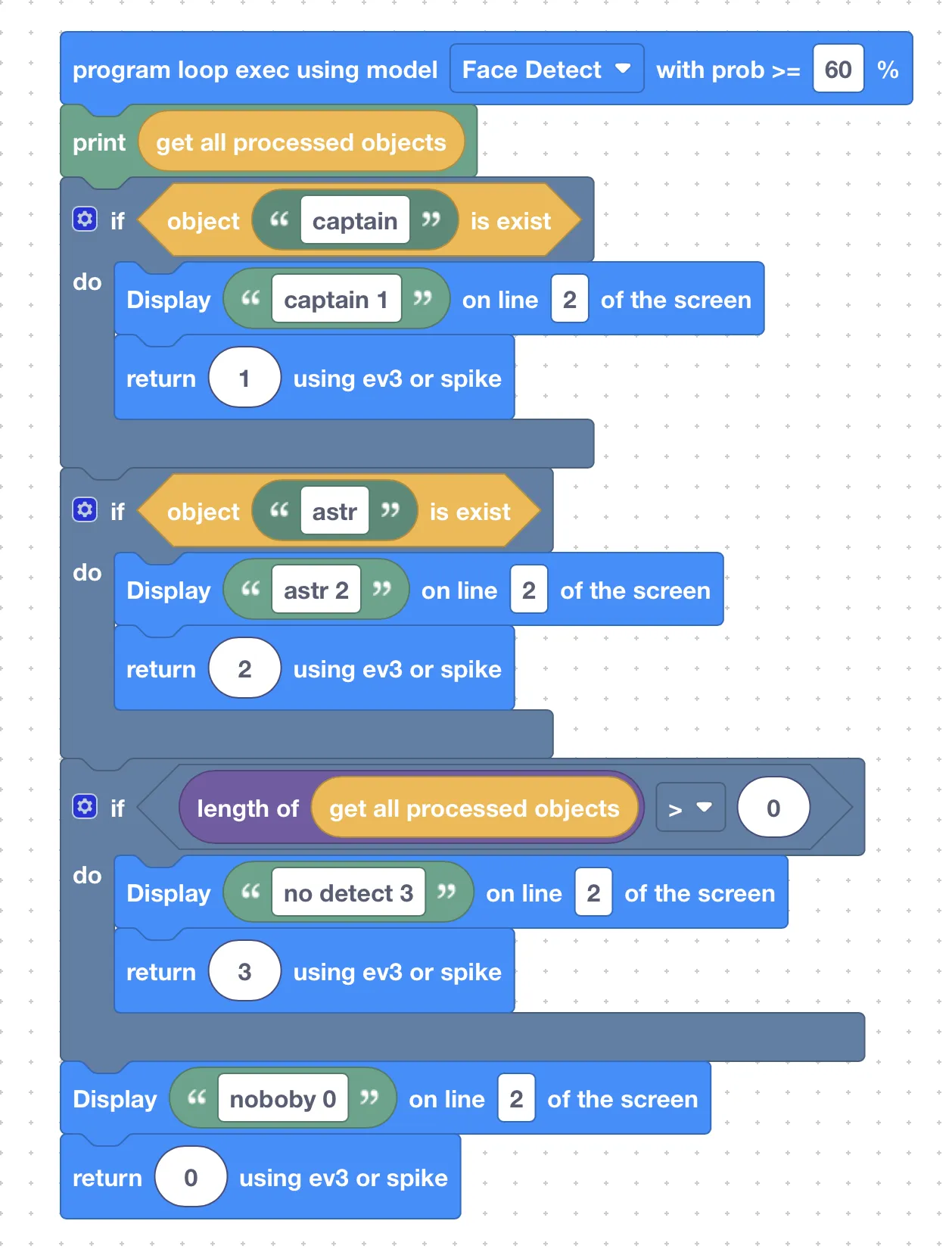
4. Demonstration & Testing (10 Minutes)
Students test the system in groups.
Normal Mode
- Captain → ✅ Opens
- Astronaut → ✅ Opens
Triggering Risk Mode
- Stranger attempts multiple times
High-Risk Mode
- One person alone → ❌ Denied
- Two authorized people in sequence → ✅ Opens
Observation Points
- Does the system truly upgrade its rules?
- Are Hub messages clear and understandable?
- Does the motor behave as expected?
IV. Extension & Discussion (10 Minutes)
Encourage students to enhance the system:
1️⃣ Time Window
- What if both people must authenticate within 10 seconds?
2️⃣ Reset Logic
- What if the second person never comes?
3️⃣ Escalation
- What if failures keep increasing?
- Add alarm or full system lockdown
V. Lesson Summary
Students Learned
- Face recognition ≠ a simple open button
- AI can participate in security decision-making
Students Mastered
- Basic use of face recognition
- Failure counting and state switching
- Single-person vs dual-person authentication logic
Students Experienced
🚀 A realistic AI security system —
just like a real space base safe